
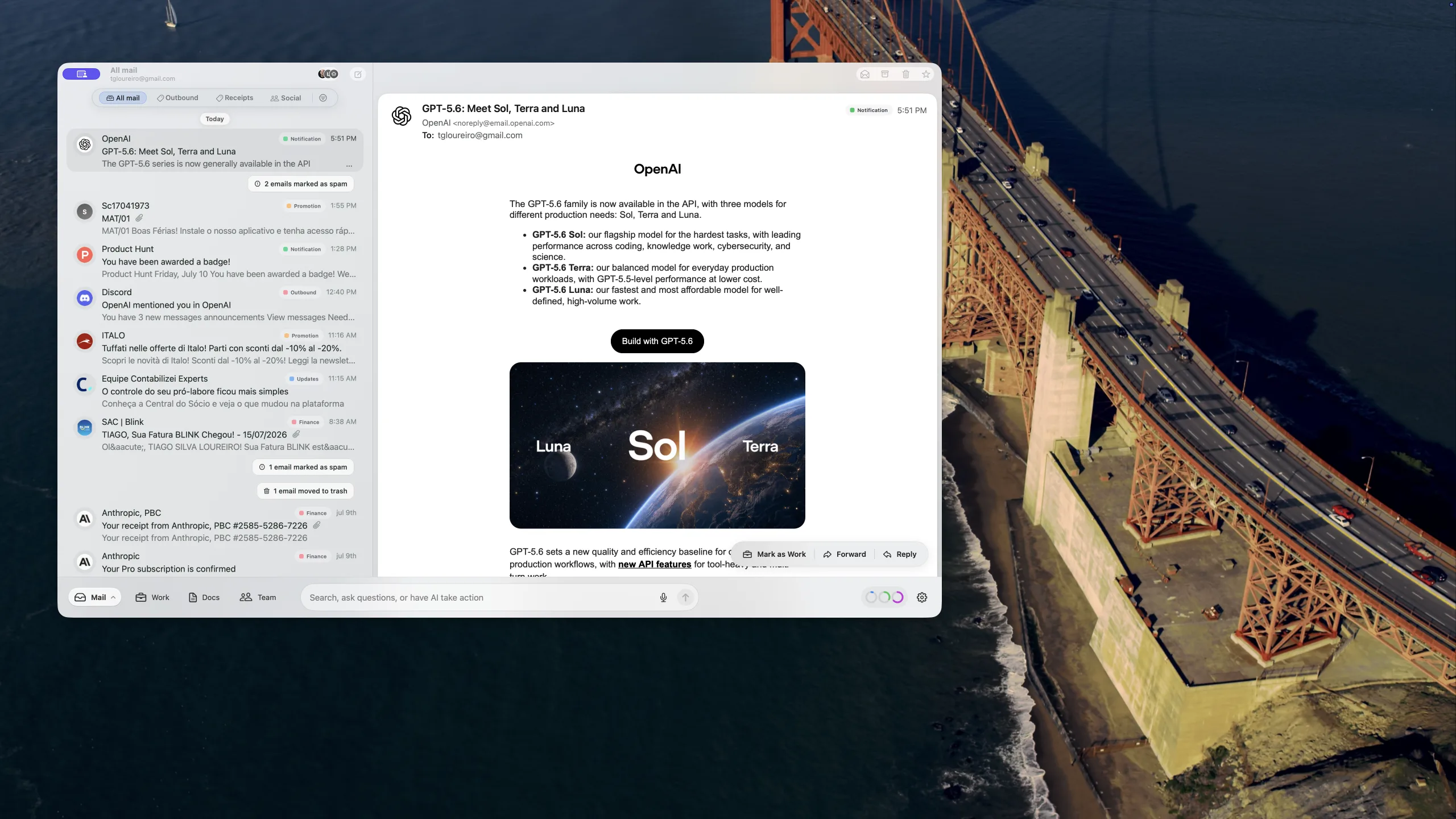
What shipped in Banger for Mac beta 29
Our beta 27 update focused on faster mailbox setup, a smoother native Mac inbox, and the background systems that keep mail moving. Since then, beta 29 has made finding, inspecting, replying to, and sending email more dependable.
Here is what changed.
Search works more like you expect
Search now distinguishes between separate words and an exact phrase, following the familiar behavior of Gmail-style search.
A search for quarterly invoice finds messages that contain both words, even when they are not next to each other or appear in a different order. Put the words in quotes — "quarterly invoice" — when you want only that exact phrase. You can also mix individual terms and quoted phrases in one search.
This makes it easier to narrow a large mailbox without having to remember the exact wording of a message.
Inspect the original message Banger received
Every message in a conversation now has an ellipsis menu with Show Original Message. It opens a selectable, copyable view of the message details Banger captured, including:
- From, To, and Reply-To
- Date and subject
- Message-ID and In-Reply-To
- the normalized message body
The action is available on both expanded and collapsed messages, so support investigations no longer require guessing which email in a long thread carried a particular header.
Replies honor the sender’s Reply-To address
Some services send mail from a transport address while specifying a different address for replies. Banger now preserves that Reply-To instruction when new mail arrives and uses it when you reply.
If a message does not contain a valid Reply-To address, Banger continues to reply to the From address as before. This prevents replies to notifications, forwarded messages, and contact forms from going back to the wrong mailbox.
Thanks to Nic for reporting that replies were not honoring the sender’s Reply-To address.
Sent mail shows the real delivery outcome
Once Banger’s sending service accepts a message, the draft now closes and the message moves to Sent. A single check shows that it is still awaiting the receiving server’s final result; a second check confirms that result has synchronized.
If the receiving server ultimately rejects the message — including after retries or in a later hard bounce — the same message remains in Sent and is marked Delivery failed. It does not disappear, turn back into an editable draft, or offer an unsafe retry that might send a duplicate to recipients who already received it.
This also covers partial delivery: when some recipients accepted a message and others did not, Banger keeps one accurate record in Sent instead of pretending the whole send can safely be repeated.
Delivery errors explain what happened
A raw SMTP response such as error code: 502 is useful to a mail server, but not to the person trying to send an email. The Mac app now translates delivery failures into clearer categories and next steps.
Depending on the response, Banger can explain that an address appears not to exist, a recipient server temporarily rejected the message after retries, or only some recipients received it. The affected address or domain is shown when available.
Technical details remain available in an expandable section. If the problem needs investigation, you can copy a searchable support code or open a prefilled problem report with the relevant diagnostics attached.
Gmail attachments download more reliably
Gmail attachment and document downloads are no longer tied to the device coordinating a mailbox’s history import. Any authorized Banger client can download them while the primary-device lease continues to protect background backfill work from running twice.
We also fixed lease expiry handling, allowing another signed-in device to take over history import normally when the previous primary device is no longer active.
A cleaner label control
The native Mac conversation header no longer shows the same category twice. The existing colored category chip is now the single place to view and edit labels when editing is available, reducing noise without removing the action.
Beta 29 is available now for Mac, and the matching delivery and inbound-mail updates are live.