
Transactional vs marketing email for a small product

Transactional email serves a product or account purpose, such as a receipt, password reset, or account notice. Marketing email promotes the product or continues a subscriber relationship through newsletters, announcements, and promotional flows. In Banger, use product email for genuine transactional messages and Broadcasts or Journeys for marketing, with the relevant consent and unsubscribe controls.
The distinction matters before you write the subject line. It determines the intended audience, the sending path, and what must happen when someone no longer wants to hear from you. A small product needs these decisions even when one builder and one assistant prepare all the mail.
Classify by the message’s main purpose
A receipt confirms a transaction the recipient made. A password reset supports an account action. An account notice explains something about the existing service relationship. These are the product-email examples identified in Banger’s acceptable-use policy.
A product launch announcement, newsletter, or promotional onboarding series belongs in the marketing workflow. Calling a message “an update” does not settle the question. Read what it asks the recipient to do and why they are receiving it.
When an email’s main purpose is promotional, send it as a Broadcast or Journey so it carries an unsubscribe. Do not use the product-email route to hide a promotion inside a message that recipients cannot easily leave.
For mixed drafts, the clearest editorial choice is often to split the purposes. Keep the account information focused, and send an optional promotional message only to the appropriate subscribed audience. That also makes review easier for the person approving the marketing work.
What separate sending lanes mean
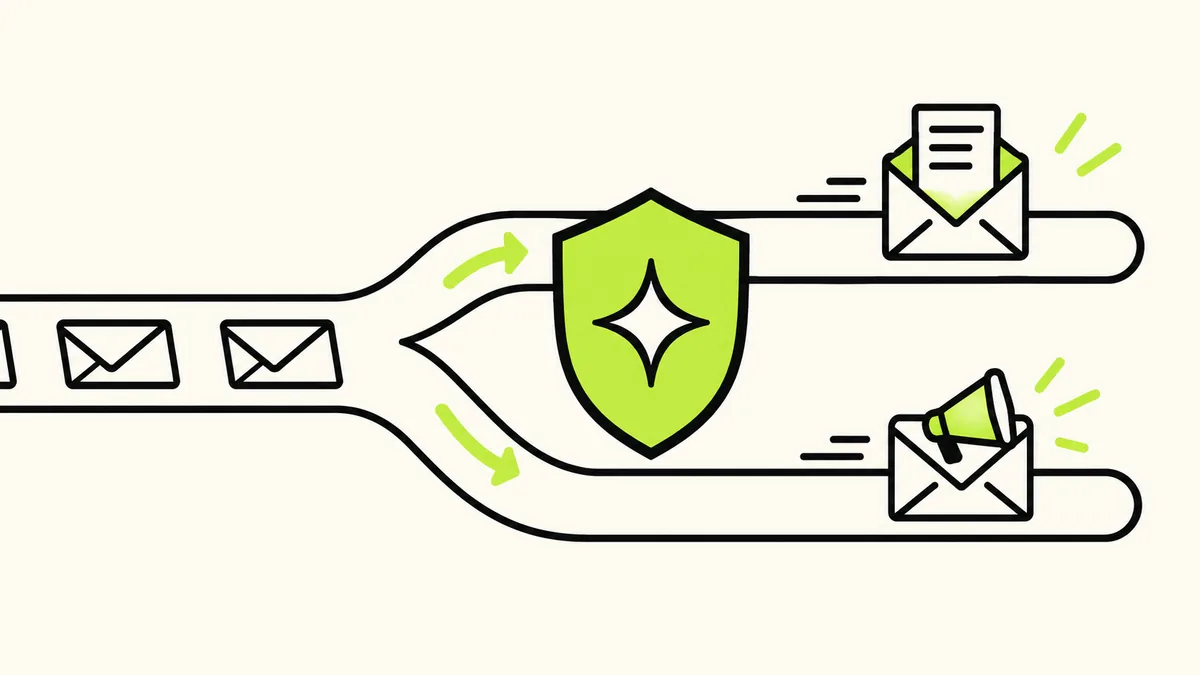
Banger distinguishes product, Broadcast, and mailbox traffic in its sending model. Product and marketing traffic use their appropriate routing and eligibility checks. The agent should choose the route that matches the message, rather than treating every envelope as the same operation.
This separation makes the intent visible. You can inspect product email as product email and marketing as marketing. It also gives the platform a place to apply the controls associated with each traffic class.
Separate lanes do not mean every plan has a dedicated IP or that marketing can never affect the wider company email operation. Dedicated sending-lane entitlements are specified on pricing. Avoid adding infrastructure assumptions that are not part of your plan.
Suppression applies across all sending lanes in the workspace. Banger refuses later sends to suppressed addresses from any part of the workspace, so a different route is not an escape from a bounce, complaint, or unsubscribe.
Steps: assign each email to the right path
1. Inventory the messages your product needs
Make a short list before building integrations: account notice, receipt, support reply, launch announcement, and welcome sequence. These are examples; keep only the messages your product actually needs.
For each one, write the trigger, recipient, purpose, and sender. “When an invoice is paid, send its receipt to the account contact” is more actionable than “automate billing emails.” “Send launch news to confirmed subscribers” is more precise than “email all contacts.”
2. Separate application facts from writing decisions
Your software should provide the real event and recipient data for product email. The assistant can help prepare content and configuration, but it should not infer a payment or account change from unrelated conversation context.
Use the API reference for the application integration. Use the MCP guide when your assistant is setting up or operating Banger. Both paths should preserve the actual purpose of the message.
3. Establish the marketing audience
For Broadcasts and promotional Journeys, use people who agreed to receive that communication. Keep consent evidence available. A customer record, a support conversation, and a newsletter subscription do not automatically describe the same permission.
Banger requires consent confirmation when subscribed contacts are added through an import, the API, or MCP. It will not release a Broadcast to subscribed contacts without confirmed consent. Signup forms use double opt-in by default.
4. Prepare sender information and unsubscribe behavior
Marketing needs your company name and valid postal address in the product’s brand footer. Banger requires this information before a Broadcast can be released or a Journey with Broadcast steps can activate.
Banger adds one-click unsubscribe headers to every Broadcast and Journey email and a visible unsubscribe link when one is missing. Do not remove or obscure that path. When someone unsubscribes, suppression applies across the workspace and their sequence stops.
Product email sent from software for genuine transactional purposes does not carry a marketing unsubscribe link. That difference is a reason to classify carefully, not a reason to label promotional mail as transactional.
5. Review and inspect the outcome
Journey activation requires a human Approval in Banger. Sends gated by workspace policy also become Approvals. The agent cannot approve. Review the audience and sending purpose alongside the content.
After release, inspect delivery status and logs. If a recipient is suppressed or the send is refused, ask for the actual reason. Do not ask the assistant to bypass a safeguard by retrying through another lane.
A launch example
Suppose you are launching a small scheduling product. Your application sends an account notice when needed. Separately, your agent prepares an announcement for confirmed launch subscribers and a welcome Journey for people who opted into onboarding messages.
The messages may share a product name and visual identity, but they have different triggers and audiences. Ask the agent to present them separately for review. That makes it easier to notice if a promotional invitation has slipped into the account message.
All of these sends count toward plan allowances. Free includes 3,000 emails a month and up to 100 a day, with excess daily sends going out the next day. Paid plans refuse sends past the monthly allowance until renewal or upgrade; there are no overage or usage fees.
FAQ
Is a welcome message always marketing?
No. Purpose determines the appropriate route. Essential account information differs from a promotional introduction or subscriber education sequence.
Does a product-email lane bypass suppression?
No. Suppression applies across the workspace, including later sends from other parts of the operation.
Are separate lanes the same as dedicated infrastructure?
No. Traffic classification and dedicated plan entitlements are different. Check the current plan details rather than assuming each lane has its own dedicated infrastructure.
Can my assistant choose the type automatically?
It can help classify the draft, but give it the actual purpose, trigger, and audience. Review ambiguous messages and split mixed purposes when that makes the operation clearer.