← Explore all agents Claude ⌄Example  BangerCreated email preview✓ Email previewDraft
+
A conversation that moves email forward.
Bring Banger into Claude to write more personal Broadcasts, build Journeys, and work through your Mailboxes.
Connect Claude ↗Show me our welcome email template.
BangerCreated email preview✓Here’s your welcome email template.
Email previewDraft▱ Desktop▯ Phone☾ DarkText
SubjectWelcome, Sam. Let’s get your first win.
Make it more personal…
+ Banger
BangerConnect Claude
Have a Banger account and a Claude account with custom connectors. In Team and Enterprise workspaces, an owner adds the connector first.
https://api.bangermail.com/mcp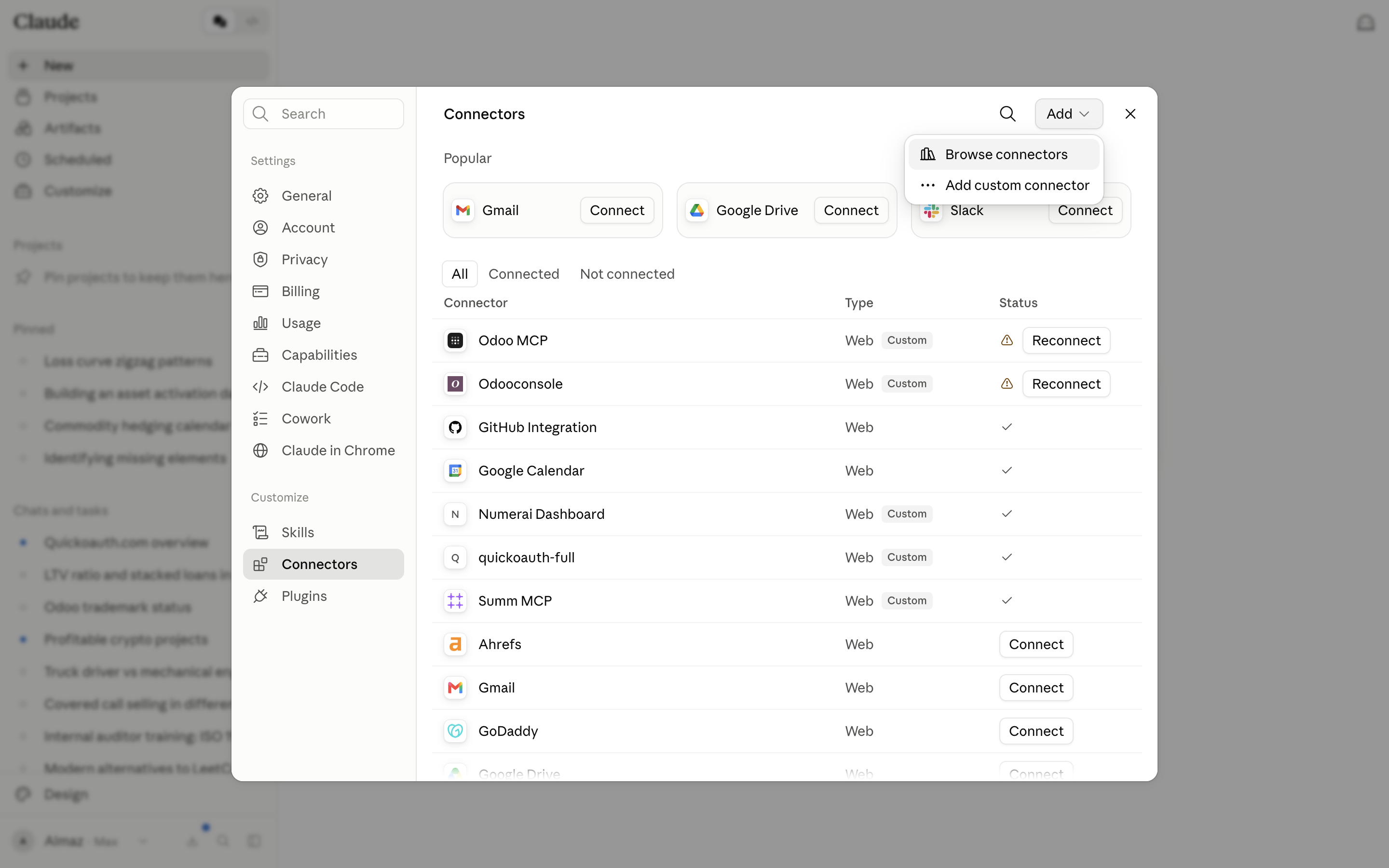
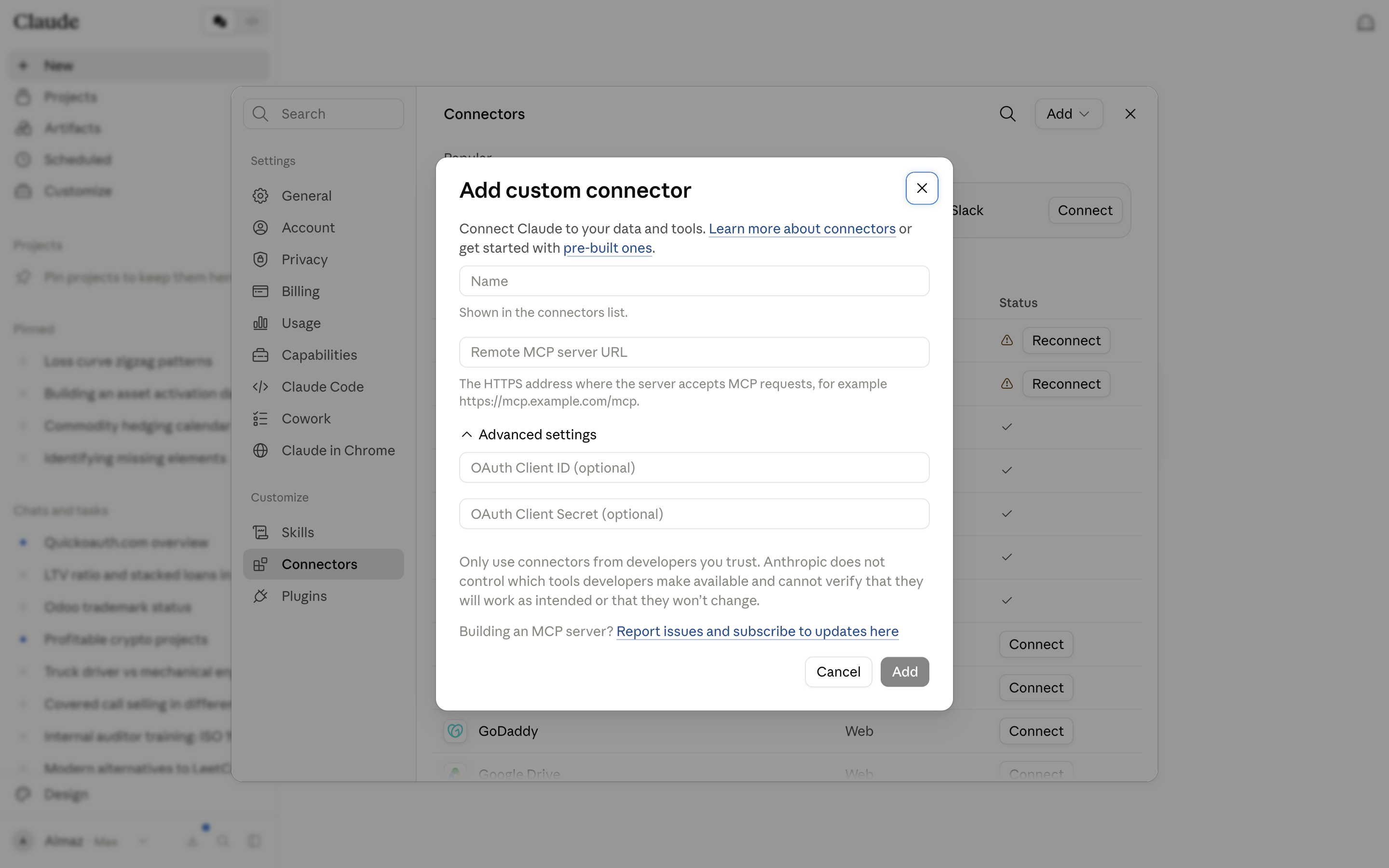
Add the Banger URL
Name the connector Banger and paste the URL below. Select Add. Banger handles OAuth registration, so you do not need to supply a client secret.
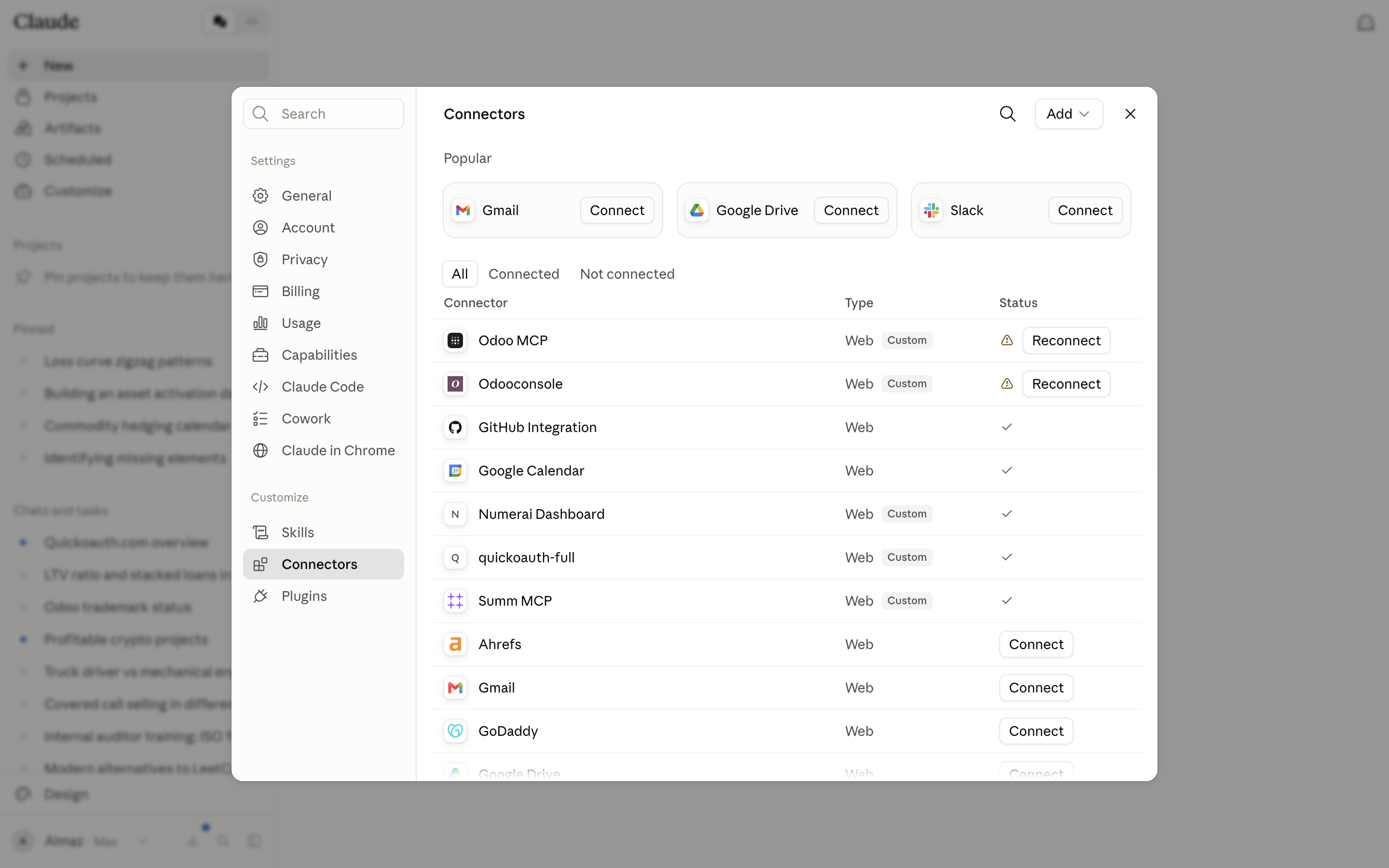
Connect your Banger workspace
Select Connect next to Banger, then sign in and authorize your workspace. In a chat, use + → Connectors to enable Banger.
Start with one simple request
Open a new conversation with Banger enabled. Ask it to list your mailboxes and summarize your active Journeys and recent Broadcasts. This checks the connection before you create anything.
Show my active Journeys in Banger.
List JourneysBangerYou have 3 active Journeys in Banger:
| Journey | Status |
|---|---|
| Welcome new users | Active |
| Help users get started | Active |
| Bring users back | Active |
Which one would you like to work on?
Reply…
Illustrative conversation Claude