
Getting started
Quickstart
What Banger is made of, and the five steps from sign-up to your first Broadcast.
In this guide 4 sections
Banger runs all of a company’s email: inboxes, newsletters, and automated emails. You can do everything in the app or ask your AI.
What’s in Banger
- Mailboxes: inboxes your team and your AI read and reply from.
- Audience: your contacts, lists, segments, and signup forms.
- Broadcasts: one email to many people, like a newsletter.
- Journeys: emails that send themselves when something happens, like a signup.
- Designs: your brand and templates, used by every email.
- Approvals, Logs, Deliverability: what needs a person’s OK, what was sent, and how it’s received.
Everything lives in a project, inside a workspace for your company. The project name is at the top of the sidebar.
Get set up
Home shows Finish setup until these are done:
- Sign in at app.bangermail.com.
- Connect your AI.
- Check your brand. Banger reads it from your website.
- Connect your domain.
- Send your first Broadcast to your Test list. It holds only you, so you see exactly what customers will get.
Then import your contacts and build a Journey.
Home
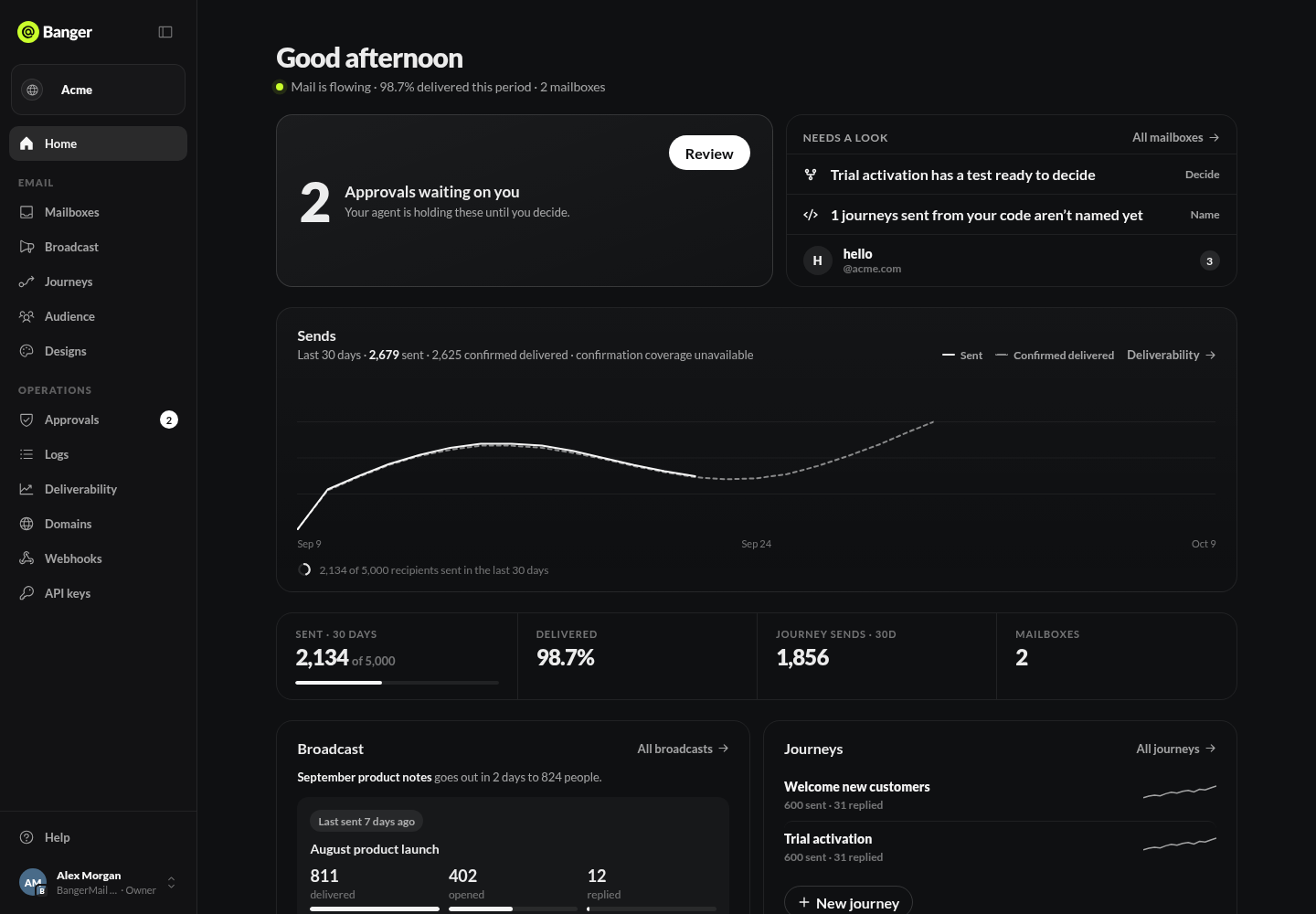
Once you’re set up, Home shows what needs you: approvals, deliverability alerts, failed Journey emails, A/B tests ready to decide, and unread mail. Below are your sends for the last 30 days against your plan.
Try it with your AI
Read my Banger setup and walk me through what’s left, one step at a time.