
Journeys
Journey triggers
The five ways people enter a Journey, what each needs, and how often someone can enter.
In this guide 8 sections
The trigger is the first card in a Journey. Click it to choose how people enter.
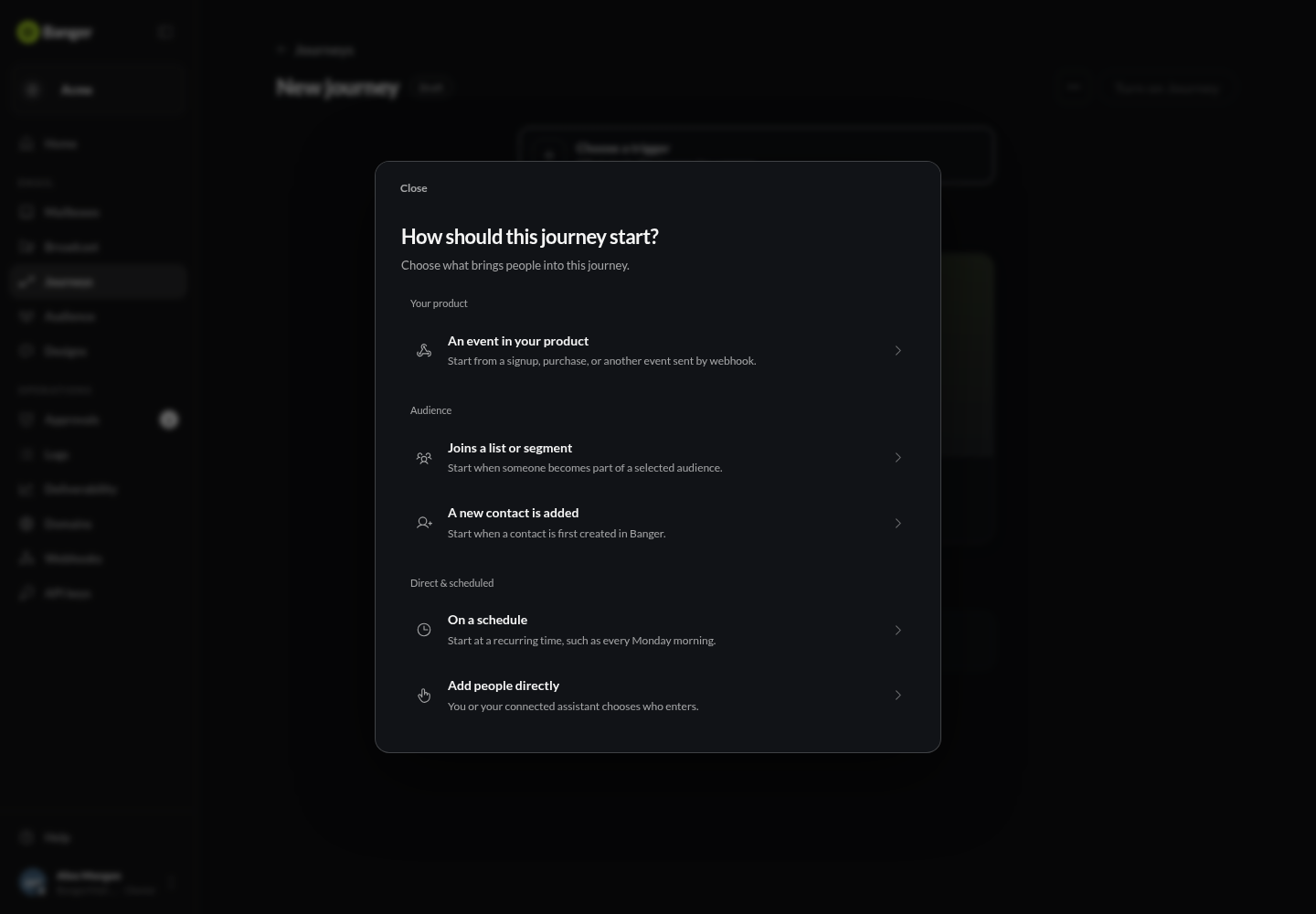
| Trigger | Who enters |
|---|---|
| Event in your product | The person in an event your app sends, like user_signed_up |
| Joins a list or segment | Subscribed members, including those already in it when the Journey turns on |
| A new contact is added | Contacts created after the Journey turns on |
| Add people directly | People your AI or the API enrolls |
| API email | Recipients of emails your code sends with a Journey key |
Event in your product
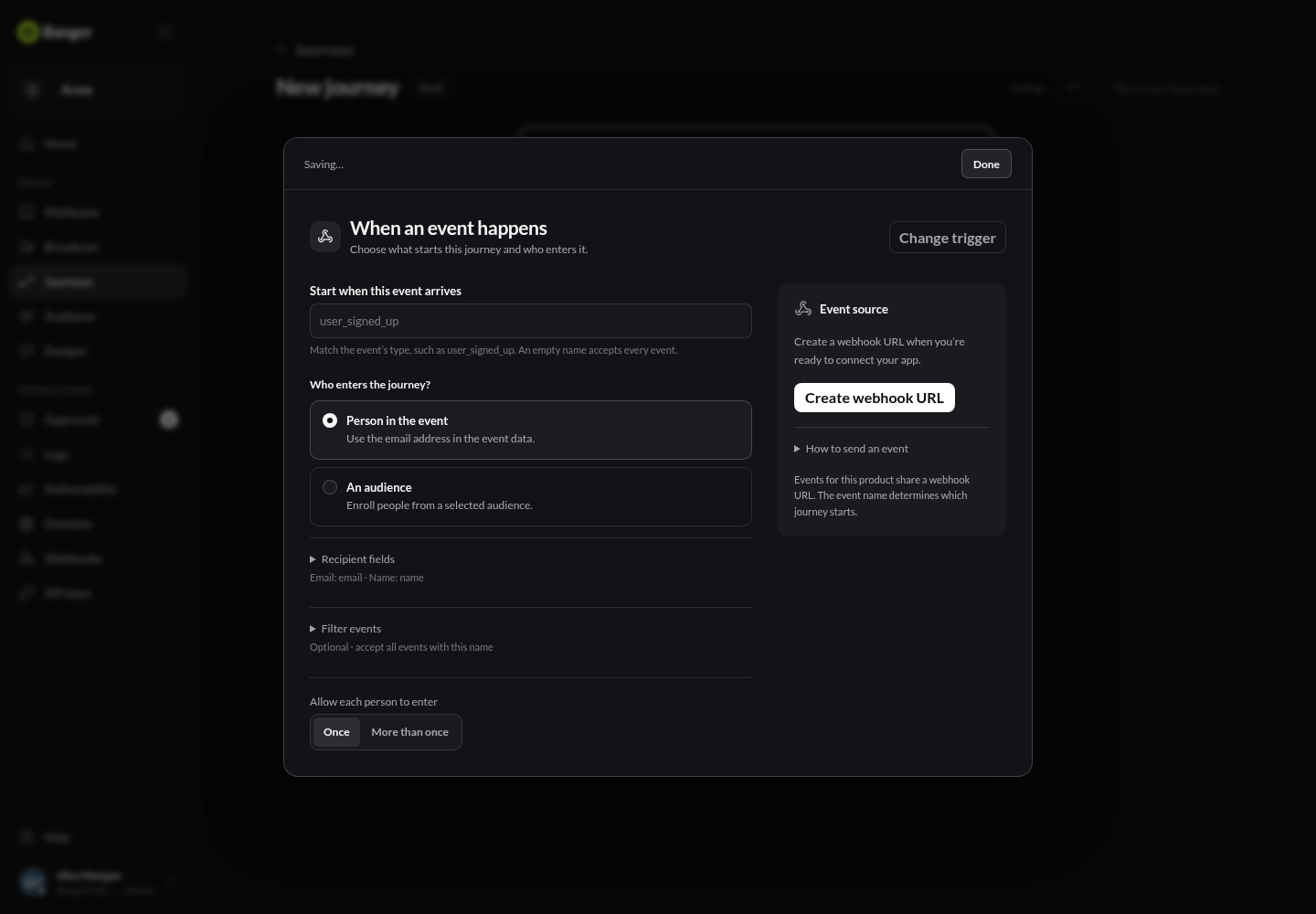
- Choose An event in your product and enter the event name, like
user_signed_up. Leave it empty to accept any event. - Choose Create webhook URL and give it to your developer. It’s shown once and shared by the whole project.
- Under Who enters the journey?, choose Person in the event and check which field holds the email. Or choose An audience to send one event to a whole list or segment.
- Optionally add a filter, like
planispro.
Shopify, Calendly, Typeform, Intercom, Zendesk, Mixpanel, Supabase, and Vercel can send events through incoming webhooks. Older Stripe and Mixpanel triggers now work as webhook events too.
Joins a list or segment
Choose the list or segment. When the Journey turns on, everyone already in it enters too, not only new joiners. Each person enters once per scan. Emails in these Journeys are Marketing emails.
A new contact is added
Only contacts created after the Journey is on enter. Importing before you turn it on, or updating an existing contact, doesn’t count.
Add people directly
The app has no button for this yet. Ask your AI, or use the API, to enroll specific subscribed contacts. Enrollment goes through Approvals.
API email
When your code sends email with a Journey key, Banger groups those sends into a Journey. Unnamed ones appear as Unclaimed. See People and code-sent Journeys.
Not available yet
- On a schedule can be picked, but doesn’t start anyone yet. Don’t rely on it.
- Incoming email is hidden from the picker. For rules on incoming mail, use Triage.
How often someone can enter
Allow each person to enter is Once by default. Choose More than once and set the days to wait before re-entry (default 30). A person is never in the same Journey twice at the same time.
Try it with your AI
Set my Welcome Journey to start when our app sends a user_signed_up event, only for the pro plan, and give me the webhook details for my developer.