
Getting started
Connect your domain
Send from your own domain: choose lanes, add the DNS records, verify, and keep an existing email provider working.
In this guide 6 sections
Banger sends from your domain once its DNS records are in place. Until then you can only email yourself. Open Domains › Add lane.
Lanes
Each lane is a kind of email, on its own domain or subdomain:
| Lane | For | Example |
|---|---|---|
| Mailboxes that send and receive | yourcompany.com | |
| Product | Receipts, password resets, app email | tx.yourcompany.com |
| Broadcast | Newsletters and announcements | broadcast.yourcompany.com |
Separate lanes keep a newsletter’s complaints from hurting your receipts. Mail is also used for Product and Broadcast email until you add those lanes.
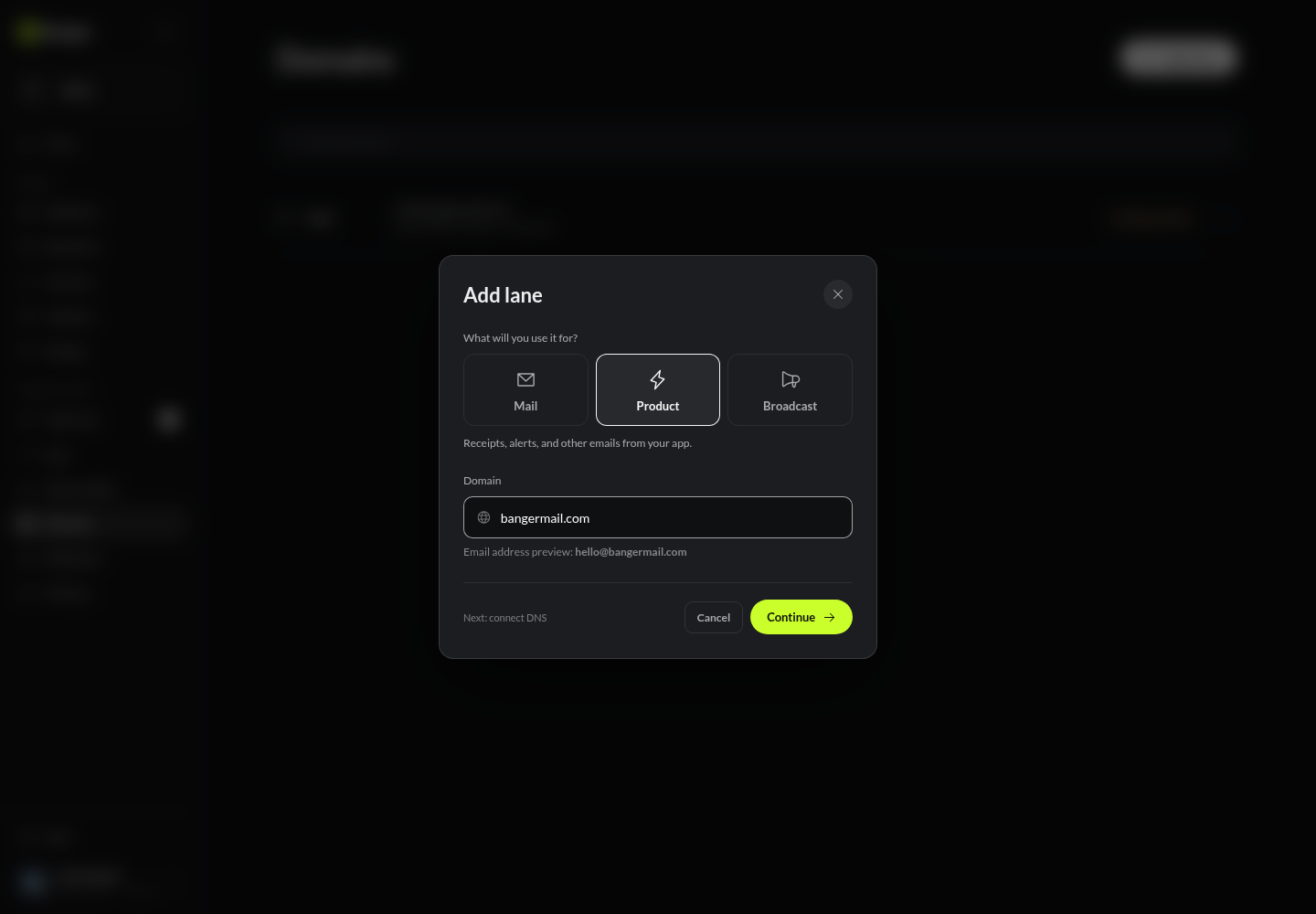
Add the records
- Choose the lane, enter the domain, and choose Continue.
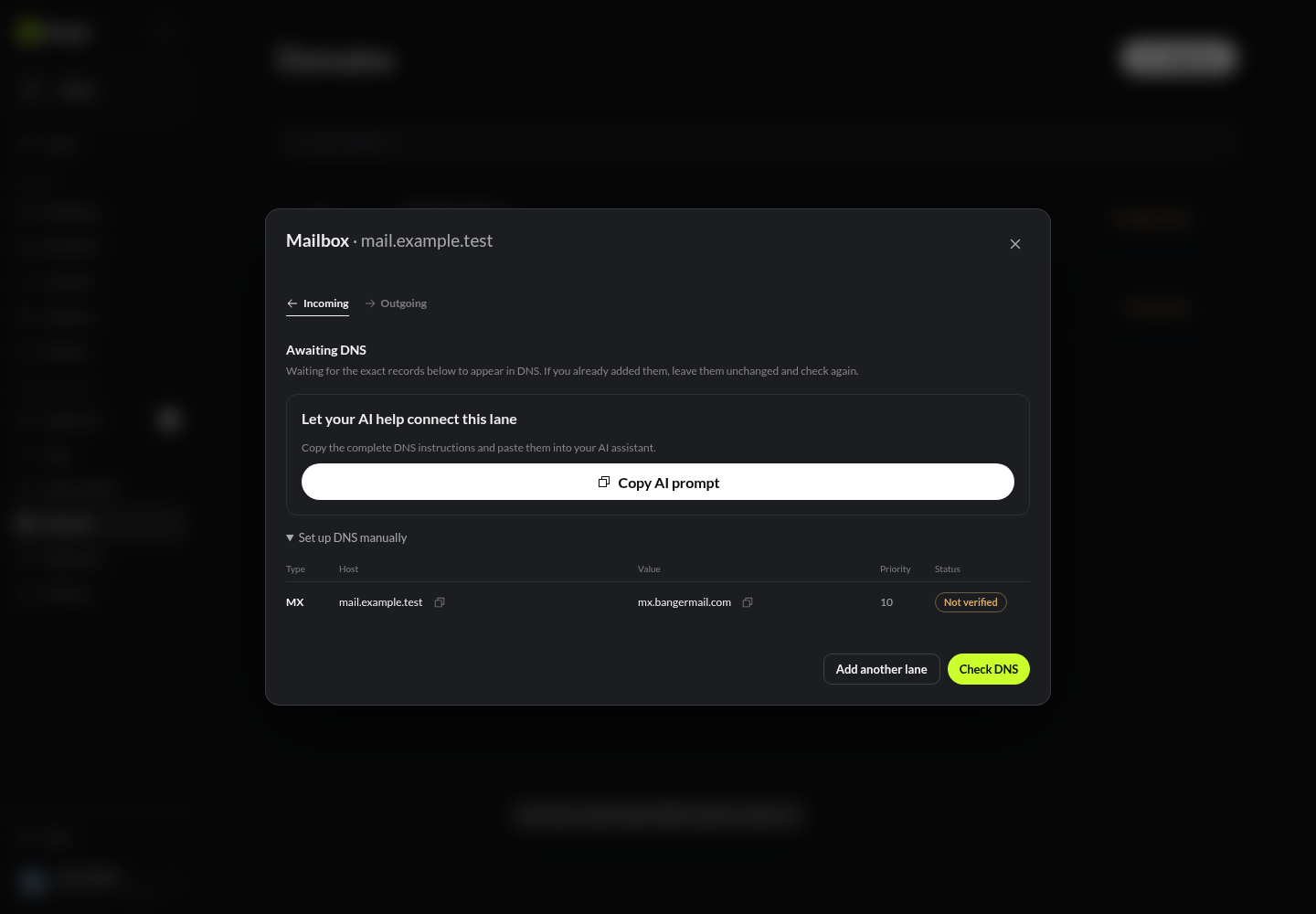
- Copy AI prompt to have your AI do it, or open Set up DNS manually for the table: type, host, value, and priority.
- Add every record at your DNS provider (DKIM, SPF, DMARC, and MX). Copy values exactly.
- Choose Check DNS. Banger also keeps checking on its own. Each record shows its status.
In Cloudflare
Open your domain, then DNS › Records › Add record, and add each row:
- Turn the proxy off (DNS only) for CNAME records.
- Cloudflare adds your domain to the name automatically. Check the saved name isn’t doubled, like
mail.yourcompany.com.yourcompany.com. - Copy MX priority exactly.
See Cloudflare’s guide to adding records.
Already using Google Workspace or another provider?
Don’t replace its MX records. Banger suggests a subdomain, like mail.yourcompany.com, so your current inboxes keep working.
To move your main domain’s mail to Banger, choose Request migration review. A workspace admin approves it in Approvals. Existing messages aren’t copied over.
Common problems
- Still pending: compare each value with Banger’s table. Most issues are a doubled domain name or a missing record.
- Two SPF records: a domain can have only one. Merge them.
- DNS verified, but the lane isn’t ready: keep the records and choose Retry activation.
Remove a lane from its ⋯ menu. Delete its DNS records yourself afterwards.
Try it with your AI
Check which email services yourcompany.com already uses, propose a Banger setup that keeps them working, and give me the exact DNS records to add.