
Designs
Brand kit
Your logo, colors, fonts, style, and footer details. Every template and AI-written email uses them.
In this guide 3 sections
Banger reads your brand from your website during setup. Check it once, and every email starts on-brand. Open Designs › Templates › Edit brand.
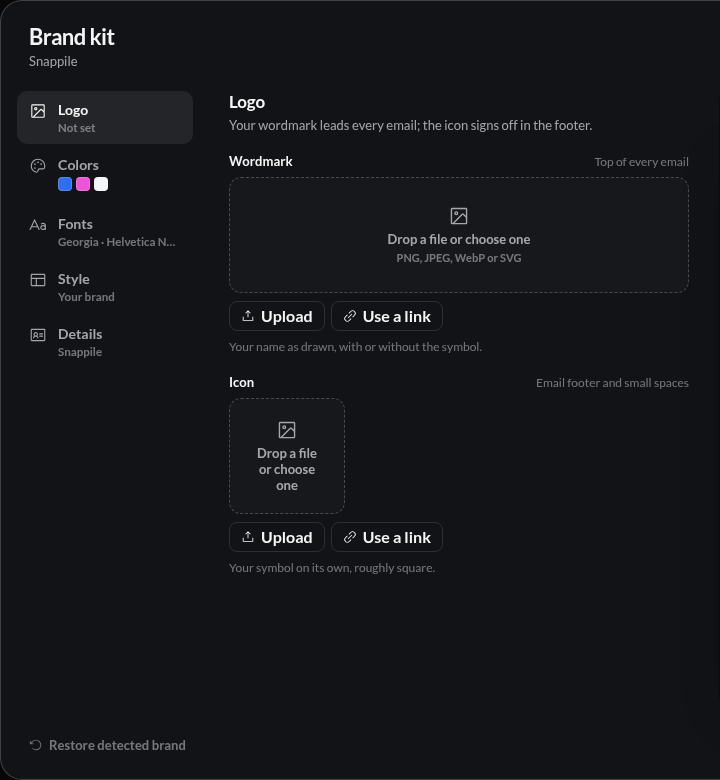
What’s in it
- Logo: a wordmark for the top of emails and an icon for the footer. PNG, JPEG, WebP, or SVG. Banger can convert an SVG to PNG, which more email apps display. Pick from Found on your site or upload.
- Colors: a brand color and an optional accent. Page, card, and text colors are optional.
- Fonts: headings and body. They apply to the Your brand style only, and some email apps substitute a fallback.
- Style: Your brand, Material, Clarity, Editorial, Bold, Luxe, Playful, or Plain. Each is a complete look you can switch at any time.
- Details: company name, website, footer address, and voice. The company name and mailing address are required to send a Broadcast. Voice guides how your AI writes.
The preview on the right updates as you edit.
Save and update existing designs
Choose Save brand. Existing designs keep their old look until you choose Update your designs, or Update look on a single design. Restore detected brand goes back to what Banger found on your site.
Try it with your AI
Read our brand kit. Check the logo, colors, and footer address against our website, and tell me what’s missing before we send a Broadcast.